
Quick start in 60 seconds
New to TindaTap? Here's the fastest path from install to your first recorded sale.
Install & open
Download from Google Play and open the app — a short welcome tour shows you the basics. No sign-up, no internet needed.
Add your products
Tap Add item to create your products, or import a CSV you built with the free Catalog Setup tool.
Tap to sell
Tap product cards to build an order, enter the cash, and see the change automatically.
Save the sale
Finish checkout — the sale is saved to your sales log and stock updates on its own.
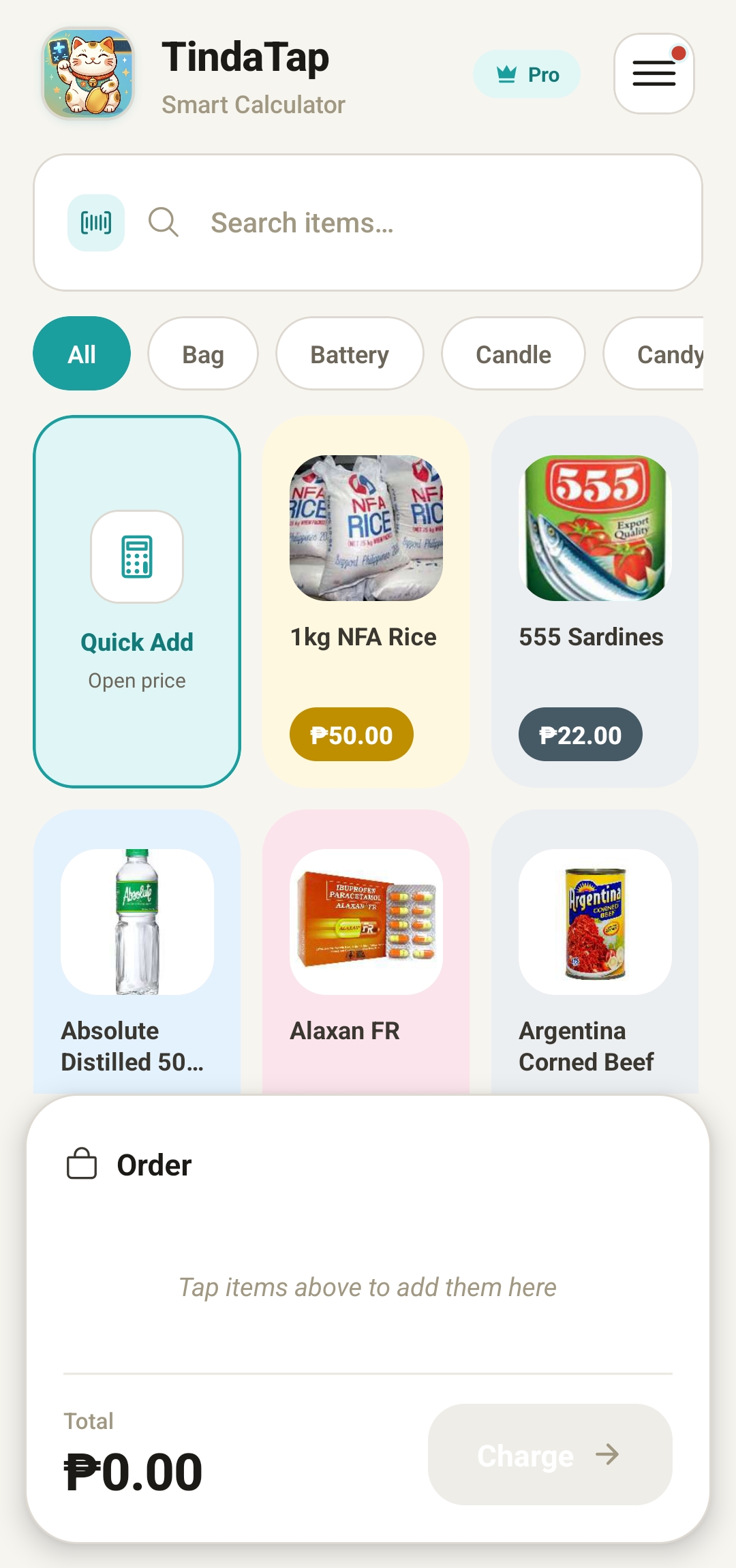
Catalog & tap-to-sell checkout
Your home screen is a grid of product cards. Selling is as simple as tapping — TindaTap does the math while you serve the customer.
- Tap a product card to add it to the order; tap again to add another of the same item.
- Adjust quantities or remove items right from the cart before you finish.
- Enter the cash given — the change is calculated for you instantly.
- Quick-cash chips suggest common amounts (₱20, ₱50, ₱100…) for one-tap payment.
- Search by name or filter by category to find items fast, even with a big catalog.
Quick Add calculator
Selling something that isn't in your catalog? Tap the Quick Add tile on the home screen to add any price on the fly — it feels just like the calculator you already use.
- Type a plain price like 25 to add a single custom item.
- Use math expressions like 15+8 or 3×20 and TindaTap works out the total.
- Perfect for loose items, repacks, promos, or a quick one-off sale.
- Custom amounts drop straight into the same cart as your catalog items.
Barcode scanning
Point your camera at a barcode to add products in an instant — no typing, no searching. Great for busy hours and big catalogs.
- Scan a barcode to drop the matching product straight into the cart.
- Scan while adding a new product to auto-fill its barcode field.
- Supports common formats — EAN, UPC, QR, and Code128.
- The app asks for camera permission only when you first scan.
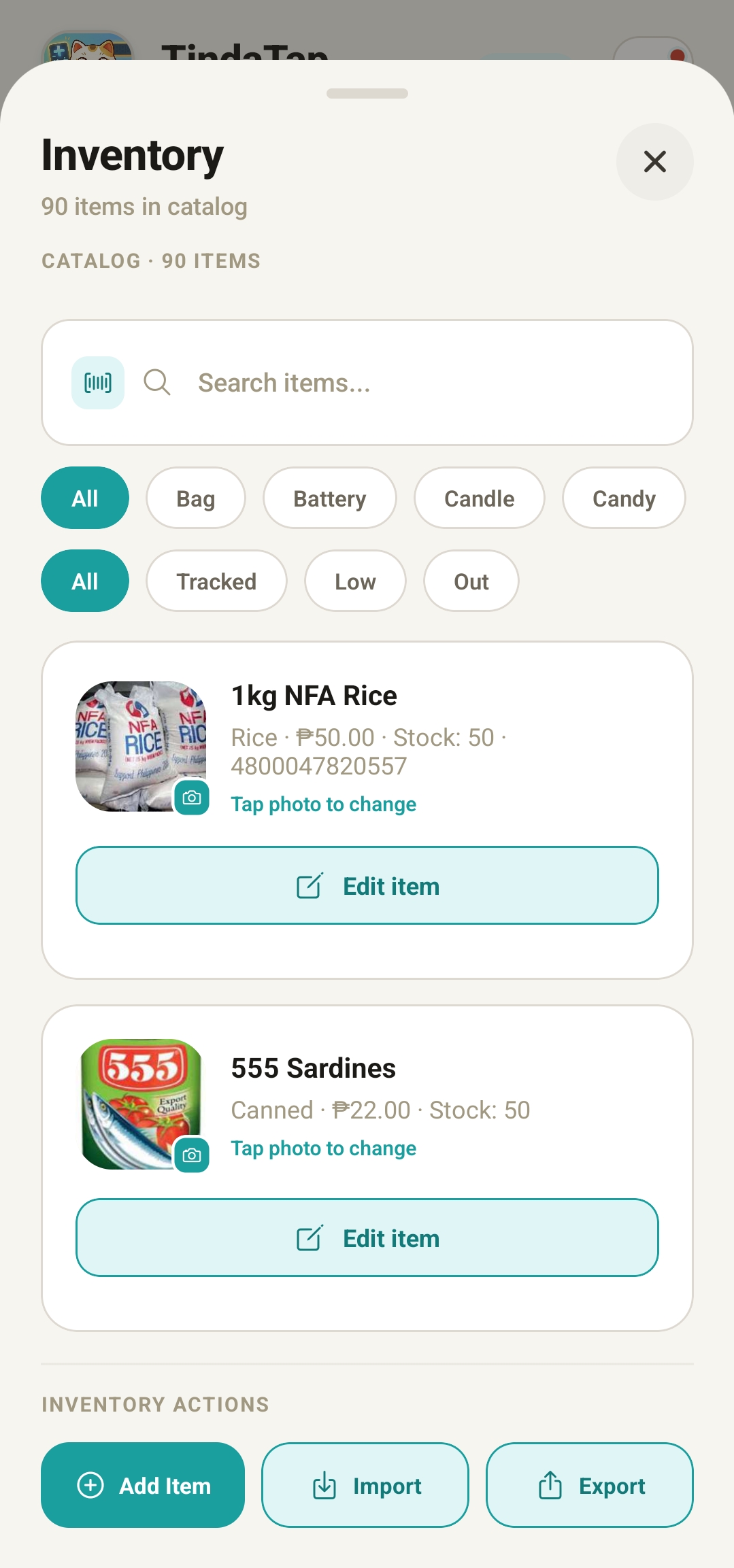
Inventory management
Build a catalog that matches your real store. Add, edit, and organise every product with the details that matter to you.
- Create, edit, and delete items anytime.
- Give each item a name, category, selling price, and barcode.
- Set the unit (piece, sachet, bottle, kilo…) so counts make sense.
- Add a product photo from your camera or gallery
- Filter by category and search by name or barcode to find anything fast.
- Group products under any category you like — type a new one or reuse one you've already made.
Stock tracking & low-stock alerts
Turn on stock tracking for any item and TindaTap keeps count for you. Every sale automatically lowers the stock, so your numbers stay honest.
- Toggle stock tracking per item — some products you count, some you don't.
- Stock goes down automatically every time you complete a sale.
- Set a low-stock threshold to get a clear warning before you run out.
- Spot what's running low at a glance so you can reorder in time.
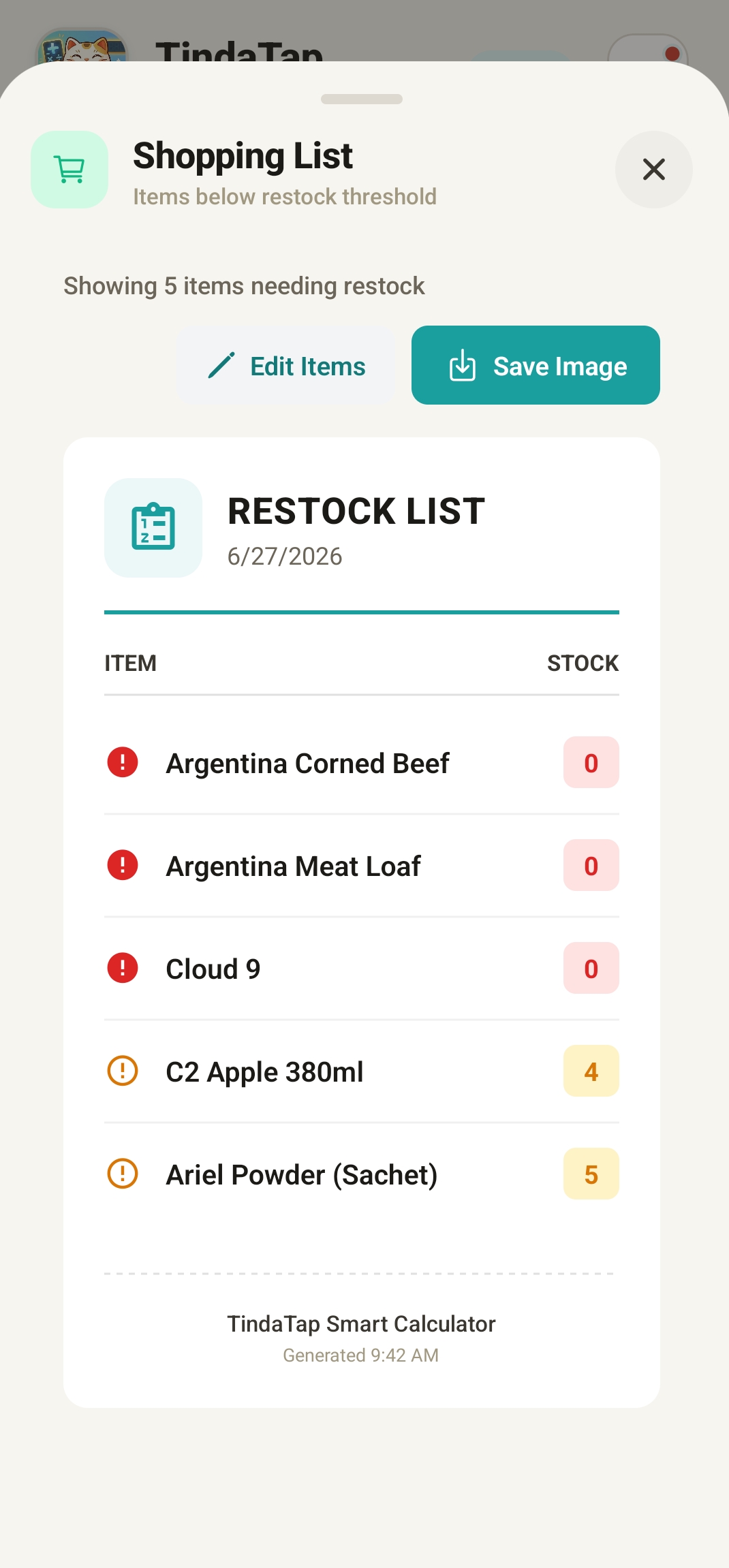
Restock / shopping list
TindaTap builds your buying list for you. It looks at what's low and tells you exactly what to bring back from the supplier.
- Automatically lists items that have dropped to or below their low-stock level.
- Set a restock-to target and the list suggests how many to buy to top back up.
- Take the list to the market so you never forget a fast-moving item again.
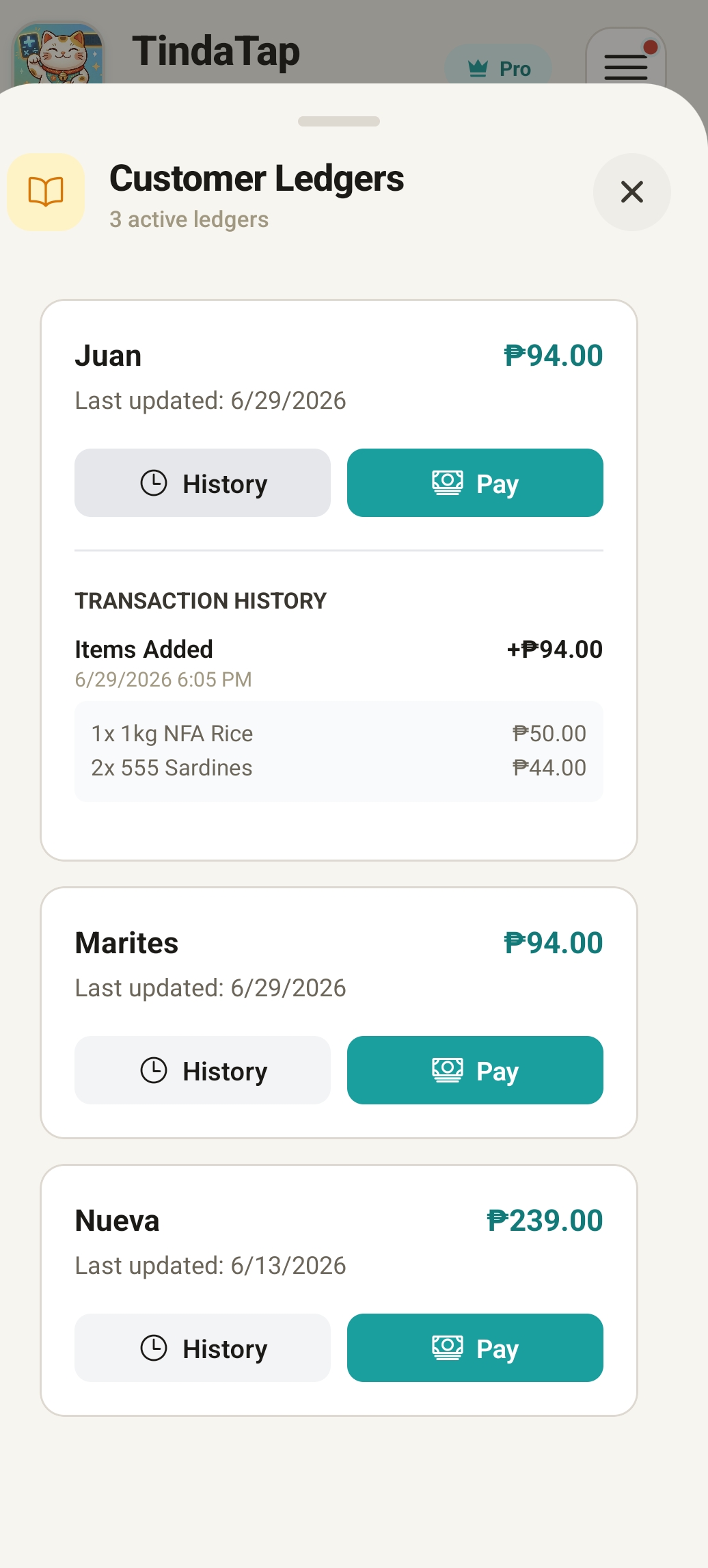
Utang (credit) ledger
Stop losing track of who owes you. Record credit sales under a customer's name and keep a clean running balance — no more paper notebook.
- Save a sale as utang under a customer's name instead of taking cash.
- Each customer has their own ledger with a running balance.
- Record purchases (adds to the balance) and payments (pays it down).
- See at a glance who still owes and how much, anytime.
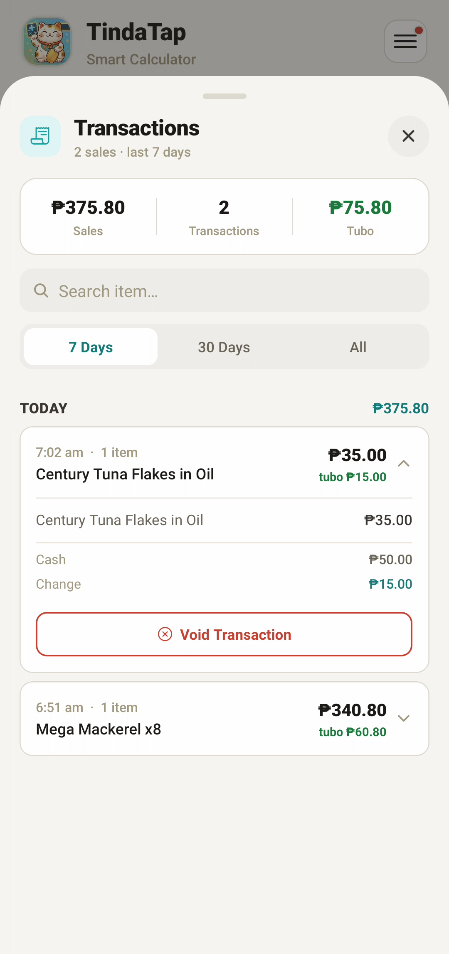
Digital Sales Log
Every completed sale is automatically saved to your sales history — organized, searchable, and always available when you need it.
- Each sale is recorded automatically with items, total, cash, and change.
- Scroll back through recent transactions whenever you need to check.
- Everything is stored on your device, so your history is always there.
Sales analysis
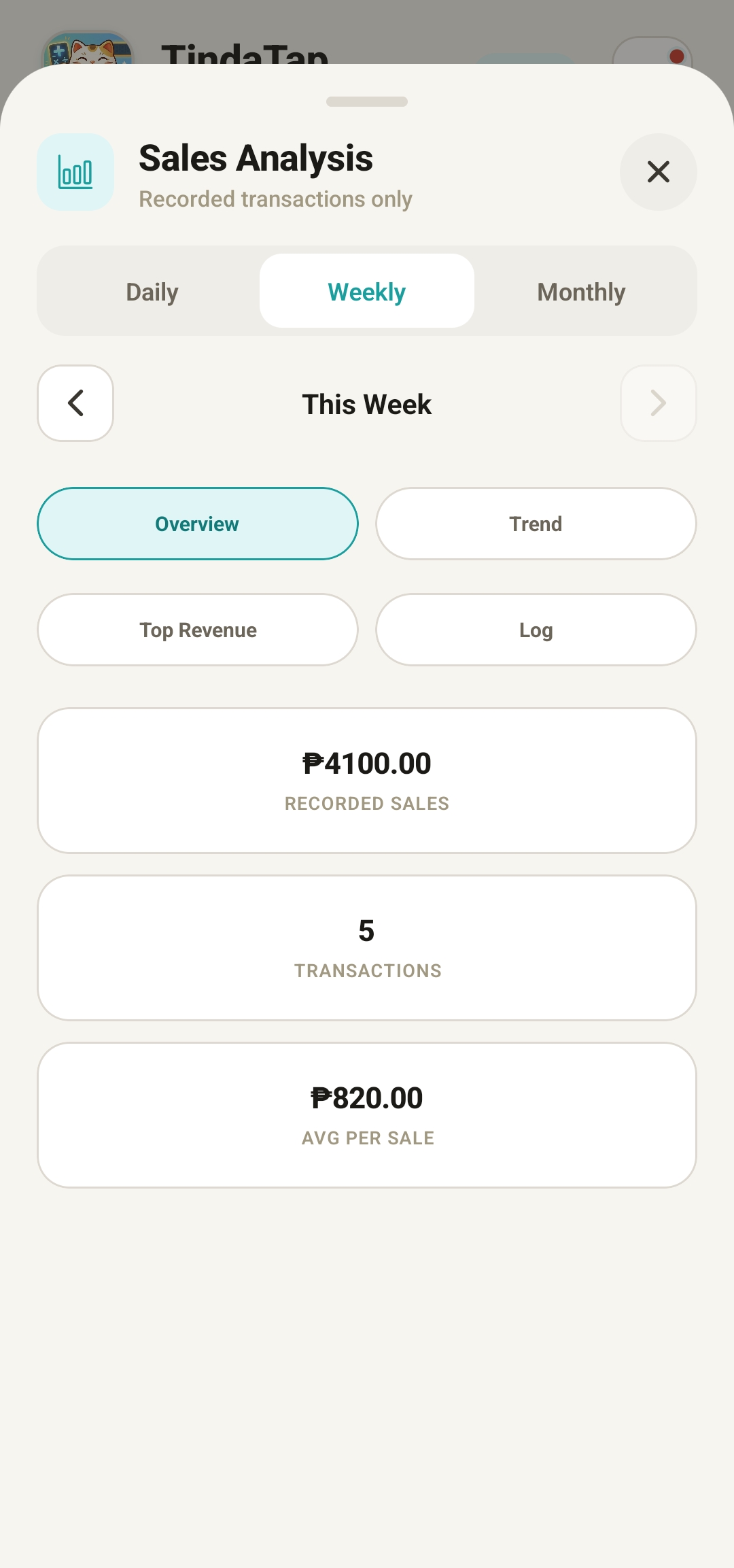
See how your store is really doing. TindaTap totals up your sales so you can spot your best days and busiest periods.
- View totals by day, week, or month with a single switch.
- Understand your sales trend instead of guessing from memory.
- Use it to plan restocks, promos, and busy-hour staffing.
- All calculated from sales you already recorded — nothing extra to enter.
Puhunan & profit tracking
Sales aren't the same as profit. Add your puhunan (capital / cost per item) and TindaTap shows what you actually earn, not just what came in.
- Record the cost (puhunan) for each product alongside its selling price.
- TindaTap captures the cost at the moment of every sale for accurate history.
- See profit — selling price minus puhunan — so you know your true margin.
- Price smarter using the free Sell Price and Coster web tools.
Backup, export, import & restore
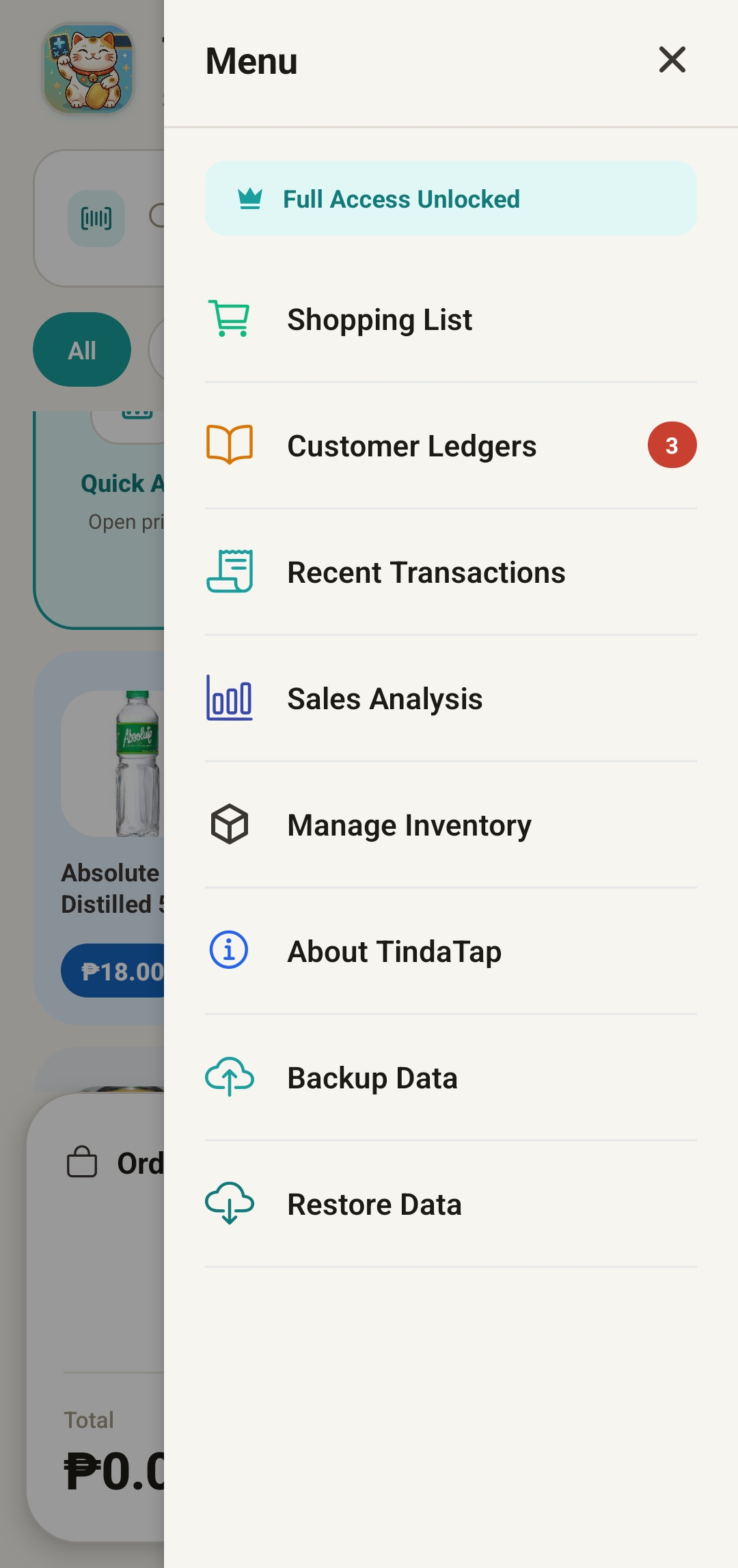
Your records are valuable. TindaTap lets you back everything up and move it safely — so a lost or changed phone never means starting over.
- Export your inventory or a full data backup for safekeeping.
- Import a product list from a CSV file to build your catalog quickly.
- Restore your full store data when you switch or reset a device.
- Share exported files anywhere — email, cloud storage, or another phone.
Offline-first & your data stays yours
TindaTap is built to work anywhere — no Wi-Fi, no data, no account. Everything lives on your phone, so it's fast, reliable, and private.
- Sell, track stock, and view history with zero internet connection.
- No sign-up and no account required to start using the app.
- All your data is stored locally on your device, under your control.
- Onboarding tutorial slides guide you through the basics on first launch.
One app, every feature — pay only to keep going
There are no locked features in TindaTap. Every tool you've read about here is available to everyone. The only thing the one-time ₱149 unlocks is unlimited transactions — so you can try the whole app first and pay only once it's already earning for your store.
- Full access to all features
- Catalog, calculator & barcode scanning
- Inventory, stock alerts & restock list
- Utang ledger, sales log & sales analysis
- Product photos, backup & export
- Limited to 50 transactions after the trial
- Unlimited transactions forever
- Full access to all features (same as free)
- Your inventory, sales & utang stay intact
- One-time payment — never a recurring bill
- Keep everything working with no cap
Frequently asked questions
Do I need internet to use TindaTap?
No. TindaTap works completely offline. You can sell, track inventory, record utang, and view your sales history without Wi-Fi or mobile data — everything is stored right on your phone.
Is ₱149 a monthly subscription?
No — it's a one-time payment that unlocks unlimited transactions forever. There are no recurring fees, no monthly charges, and no surprise costs.
What happens after my 50 free transactions or 7-day trial?
All of your data stays safe. Your inventory, sales, and utang records remain intact — you simply unlock unlimited usage with the one-time ₱149 payment whenever you're ready.
How do I add a lot of products quickly?
Use the free Catalog Setup web tool on a computer to enter products, prices, categories, barcodes, and photos, then export a CSV and import it into the app in seconds — much faster than typing on your phone.
Will I lose my data if I change phones?
Not if you back up first. Export a full backup from the menu, then restore it on your new device. We recommend backing up regularly and saving the file to your email or cloud storage.
Can I use TindaTap for a business that isn't a sari-sari store?
Yes. TindaTap works for any product-based business — market stalls, kiosks, home sellers, snack stands, load centers, small convenience stores, and more.